MAHITA is an intelligent visual assistant designed to improve mobility and safety for blind and visually impaired people. It combines a smartphone camera, on-device AI, and an ultrasonic sensor to detect obstacles and describe the surrounding environment in real time.
The system is fully accessible through voice commands (STT), audio responses (TTS), and haptic alerts (vibration/buzzer), helping users avoid collisions, understand nearby objects, and move more confidently during daily travel.
Problem-Solving Overview
From identifying issues to delivering solutions with impact.

Problem
- Lack of autonomy for visually impaired people
- Limited perception of the environment
- Uncertain and stressful mobility

Causes
- Lack of suitable tools
- Outdated tools (e.g., white cane)
- Unpredictable urban environments
- Unintuitive interfaces
Consequences
- Unexpected collisions
- Stress
- Increased dependence
- Social isolation

Solution
- Wearable device
- Embedded AI
- Ultrasonic sensors
- Voice guidance
- Real-time communication
Key Features
Discover the core functionalities and how they improve user experience.
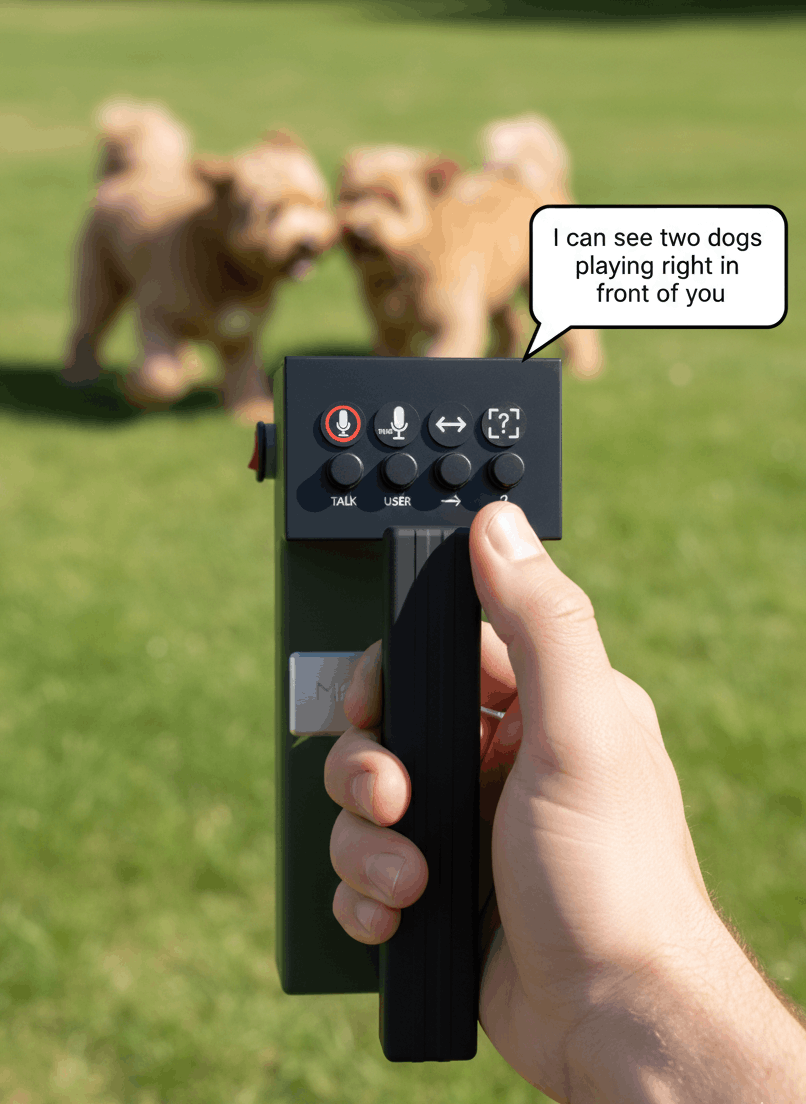
Image Description
Mahita analyzes the environment captured by the camera and describes the objects and scenes present.
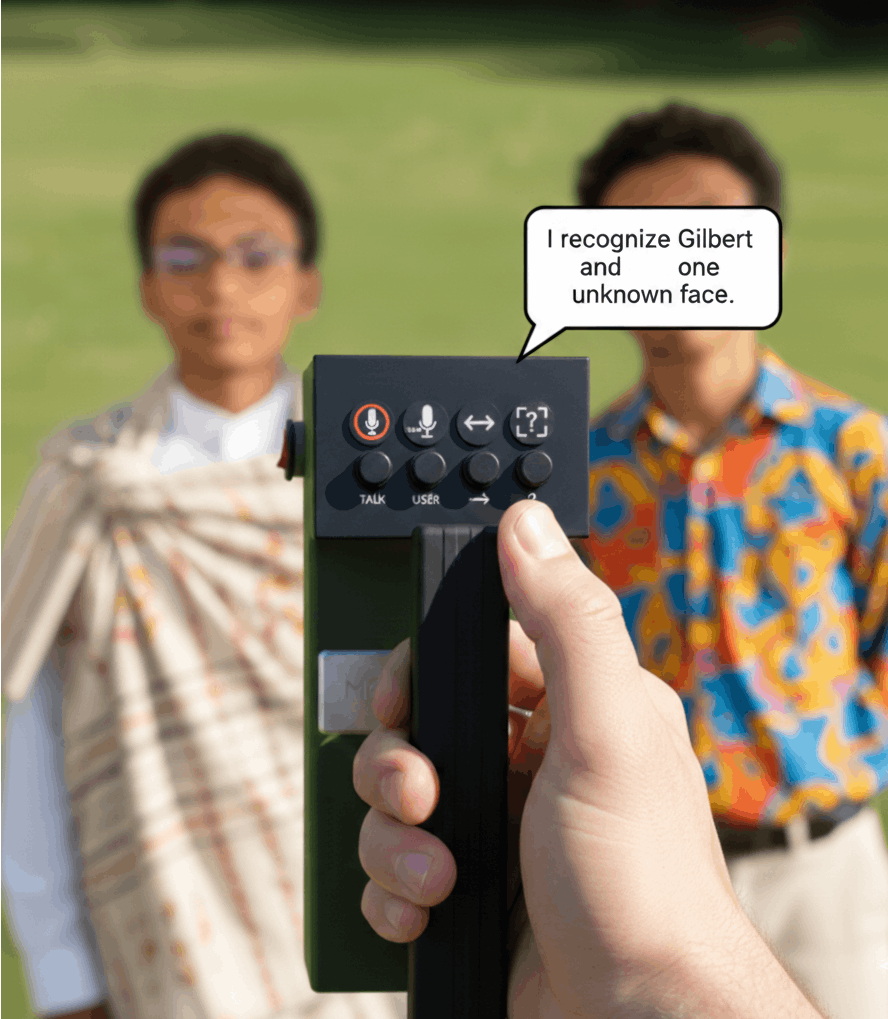
Facial Recognition
Identifies known faces stored in the app's database so the user can recognize people nearby.
Users can add new faces by capturing images and associating them with names.
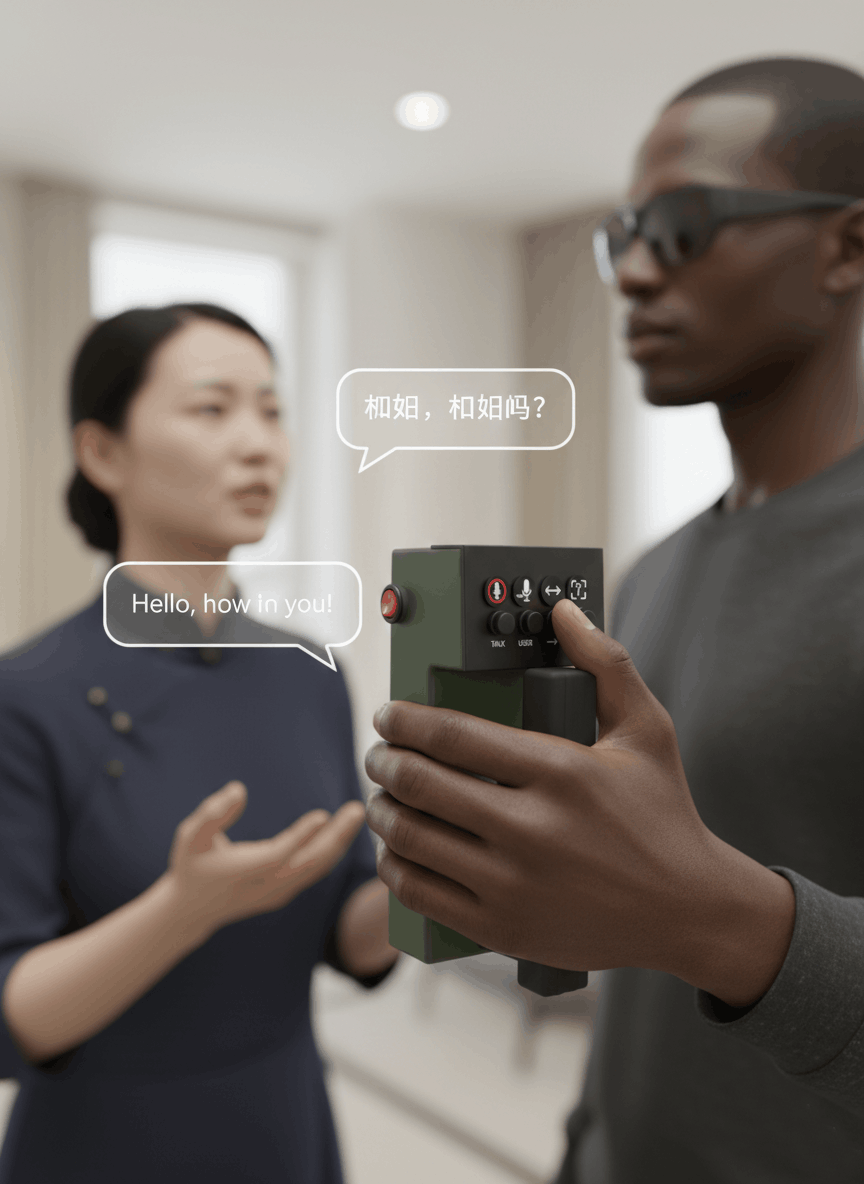
Text Translation
Recognizes text in images or from voice and translates it to or from a foreign language, then reads it aloud.
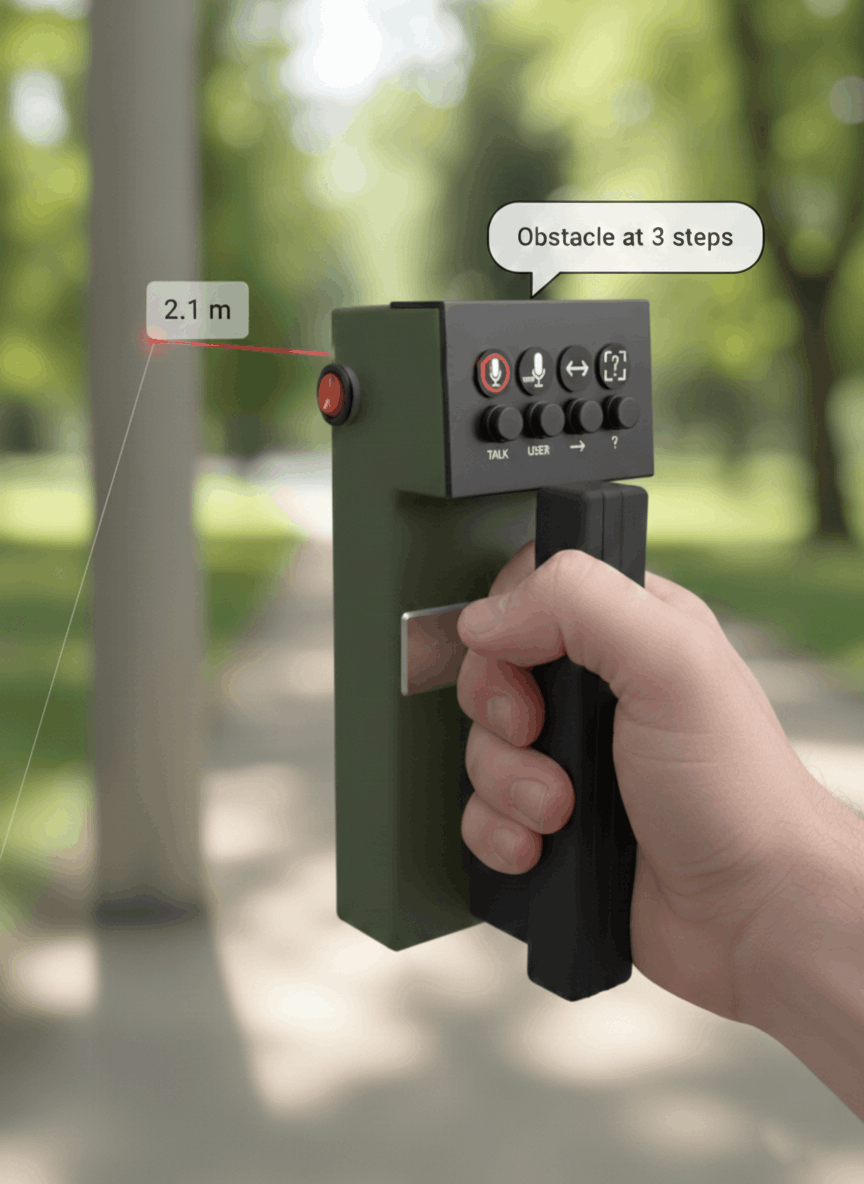
Obstacle Detection
Measures the distance to nearby objects and alerts the user to avoid collisions via audio feedback and buzzer alerts.
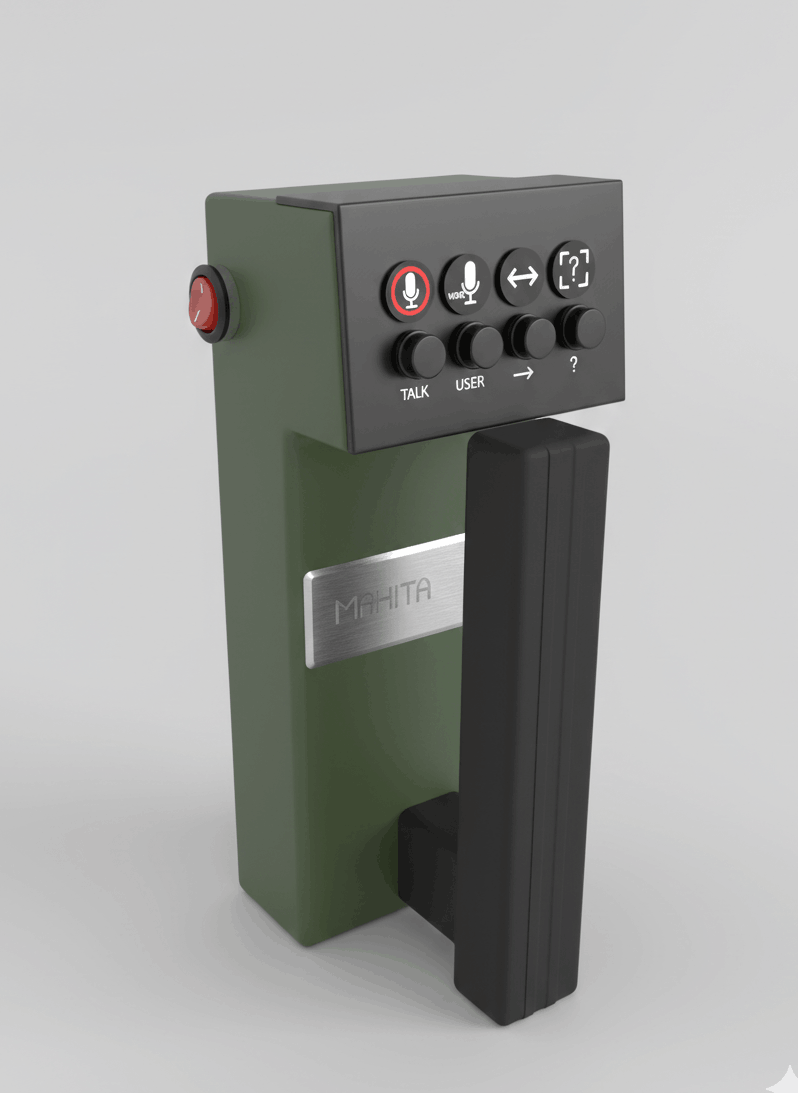
Physical Button Interaction
Allows the user to navigate the app or trigger actions without using the screen.
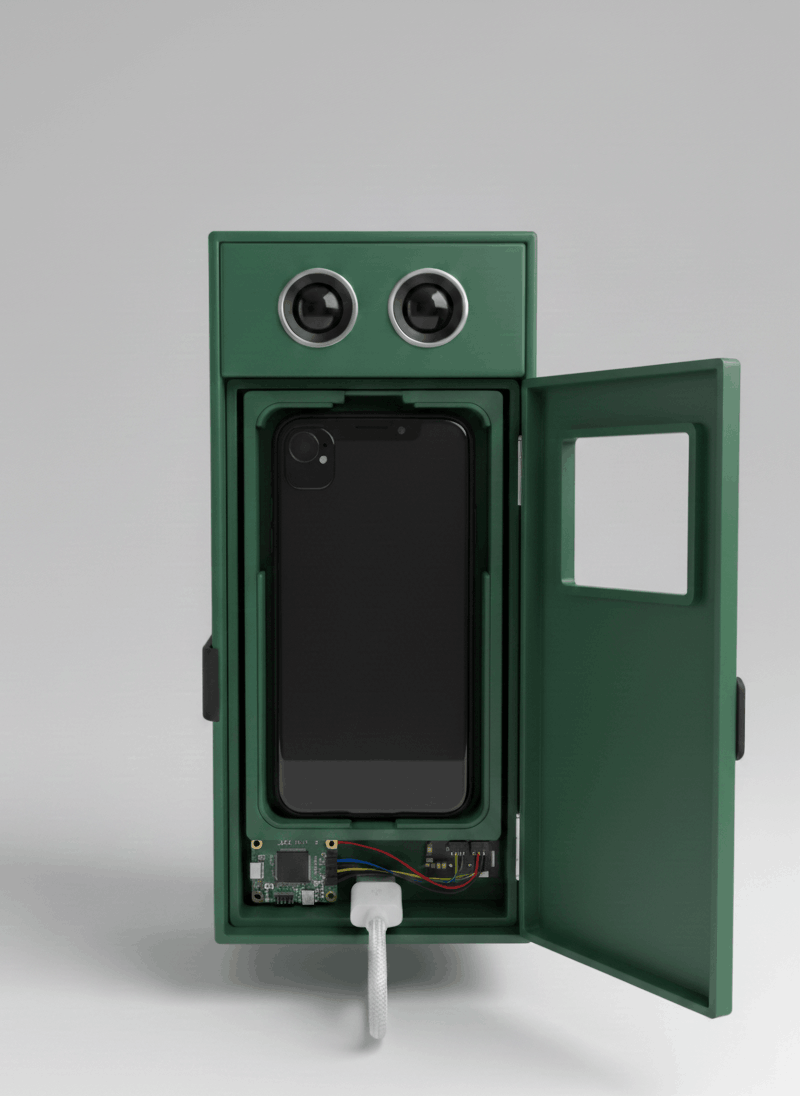
Voice Feedback (Text-to-Speech)
All information (image description, facial recognition, translation, alerts) is delivered vocally to the user.
Send SMS
Send the spoken message via SMS to a selected contact.
My Role in the Project
What i really did to make this project a success.
Mobile App development
- Designed and implemented the mobile app using Flutter.
- Integrated all Google MLKit features.
- Integrated embedded AI using TensorFlow Lite.
- Implemented WebSocket communication for real-time data exchange with ESP32.
- Translation features for multiple languages.
- Sent SMS messages to selected contacts.
- Implemented voice command features using Speech-to-Text (STT).
- Developed Text-to-Speech (TTS) for audio feedback.